ImageShare: Serverless Image Sharing Platform
A fully serverless file-sharing platform on AWS with PIN-protected shares, WebDAV support, and full-text search, with zero servers to manage.
- Servers to manage
- 0
- Servers to manage
- Lambda functions
- 6
- Lambda functions
- Infrastructure as Code
- 100%
- Infrastructure as Code
Overview
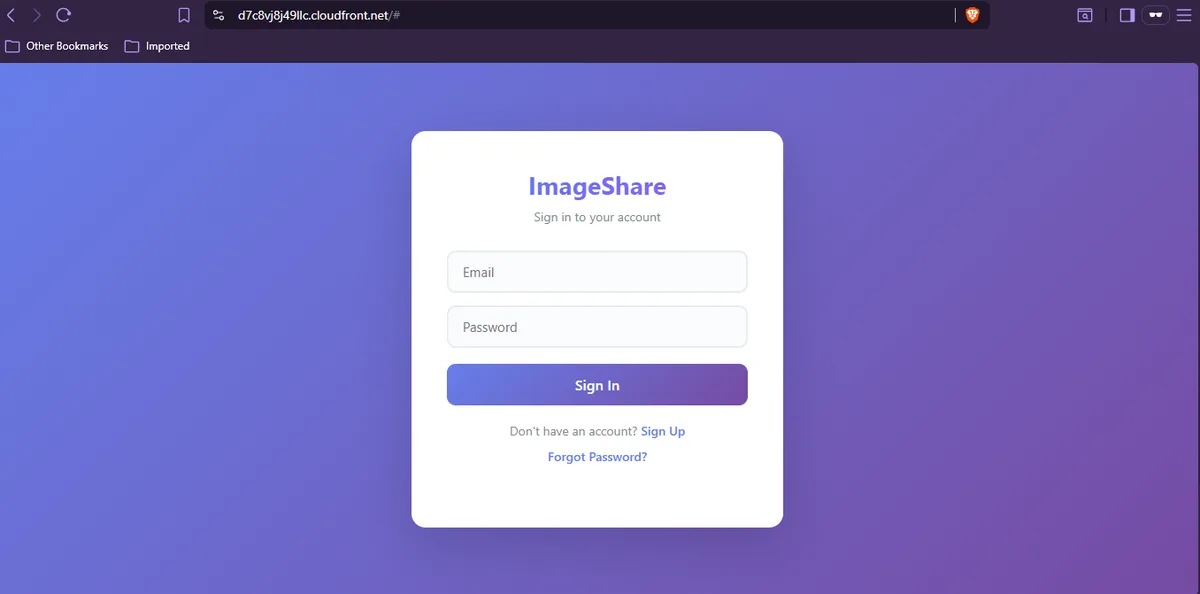
ImageShare is a fully serverless file sharing platform built entirely on AWS, with no servers, no containers, no maintenance. Users sign up via email, upload files and folders through a modern web UI, organize them into folders, generate share links with optional PIN protection and expiry dates, and even access their files remotely via WebDAV from Windows Explorer, macOS Finder, or Cyberduck.
Architecture
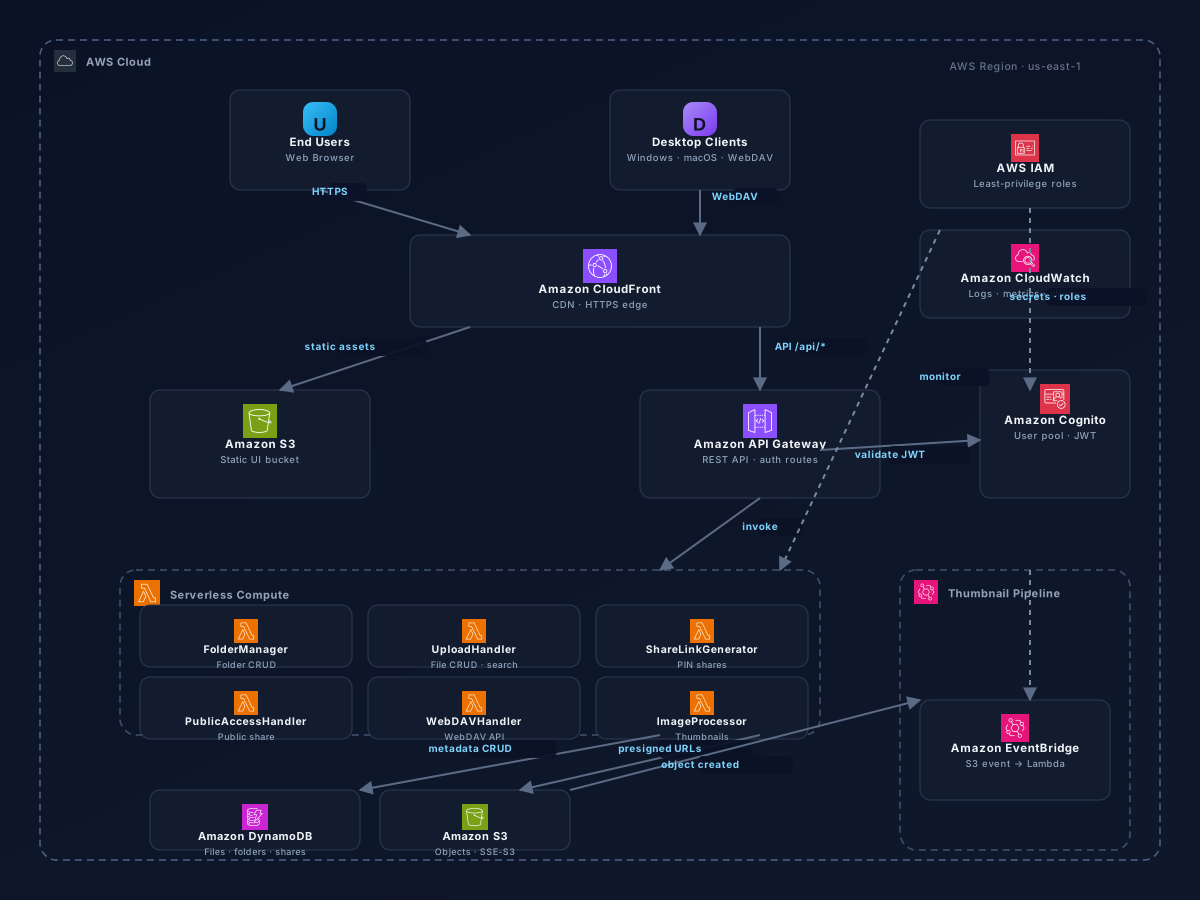
The browser serves static assets from S3 via CloudFront. API calls go through CloudFront to API Gateway, which authorizes via Cognito and routes to Lambda functions. Lambdas coordinate file metadata in DynamoDB and file objects in S3. When a file lands in S3, an EventBridge rule triggers the ImageProcessor Lambda to generate thumbnails. Public share links bypass Cognito and go through a dedicated handler with PIN verification. The entire infrastructure is defined as Terraform IaC with CloudWatch monitoring and least-privilege IAM roles.
Lambda Functions
| Function | Auth | Responsibility |
|---|---|---|
| FolderManager | Cognito | Folder CRUD (create, rename, delete, list), account management, admin panel, shared-with-me view |
| UploadHandler | Cognito | File CRUD (upload, rename, move, delete), full-text search, trash/restore, presigned URLs |
| ShareLinkGenerator | Cognito | Create share links with expiry, PIN hashing (SHA-256), email-based folder sharing |
| PublicAccessHandler | None | Serves public share pages, verifies PIN codes, lists shared files, handles uploads to shared folders |
| ImageProcessor | EventBridge | Listens for new S3 objects, generates resized thumbnails, writes to thumbnail prefix |
| WebDAVHandler | Basic Auth | Emulates WebDAV protocol for desktop clients (Windows Explorer, macOS Finder, Cyberduck) |
Key Features
User Management
- Email sign-up/login: Cognito-powered registration, login, email verification, and password reset
- Account management: Change email, update password, delete account from within the UI
- Admin panel: List all registered users and delete users (admin-only access)
File & Folder Management
- Folder operations: Create, rename, move, delete folders with nested subfolder support and recursive cleanup
- File upload: Single and multi-file upload with drag-and-drop zone, progress bar, and resume
- Folder upload: Upload entire directory trees via
webkitdirectoryattribute - File preview: Inline preview for images, PDFs, text/code files, and video/audio
- Full-text search: Search files by name across all folders and subfolders
- Sort and filter: Sort by name, size, or type; filter by all files, images, video, or PDF
- Batch operations: Multi-select files for batch delete with confirmation dialog
- Trash / recycle bin: Soft-delete files and folders with restore or permanent empty-trash
Sharing & Collaboration
- Shareable folder links: Generate share links with optional expiry date and view/edit permissions
- PIN-protected shares: Protect share links with a numeric PIN, hashed via SHA-256
- User-to-user sharing: Share folders directly with other registered users by email address
- Shared with me: Dedicated view listing all folders shared to your email address
Protocols & Integration
- WebDAV endpoint: Full WebDAV protocol support (PROPFIND, MKCOL, MOVE, GET, PUT, DELETE) for desktop clients
- Presigned URLs: Direct S3 upload via presigned URLs for fast, scalable file uploads
- Thumbnail generation: Automatic image thumbnail generation via EventBridge-triggered Lambda
UI & UX
- Dark mode: Toggle light/dark theme with localStorage persistence across sessions
- Responsive design: Fully responsive UI works on mobile, tablet, and desktop viewports
- File type icons: Visual file type indicators for images, PDFs, code, archives, and more
- Modern theme: Gradient purple-blue color scheme with smooth transitions and card-based layout
Infrastructure as Code
The entire platform is defined as Terraform modules, organized into focused configuration files for each service layer. This modular approach allows for incremental updates, isolated troubleshooting, and environment parity across dev and prod via separate terraform/environments/ configurations.
- storage.tf: S3 buckets for files and UI, DynamoDB tables for folders, files, and shares
- auth.tf: Cognito User Pool, User Pool Client, and domain configuration
- compute.tf: Lambda function roles, function definitions, and EventBridge rules
- api-gateway.tf: API Gateway REST API, routes, integrations, and WebDAV endpoint
- frontend.tf: CloudFront distribution, S3 bucket policy, and origin access identity
- monitoring.tf: CloudWatch alarms, dashboard, and log group retention policies
Security
- Authentication: AWS Cognito User Pool with email verification and password policies
- Authorization: Lambda authorizers validate Cognito JWT tokens on every API request
- Encryption at rest: S3 server-side encryption (SSE-S3) for all stored files
- Encryption in transit: CloudFront with HTTPS, S3 bucket policies enforce SSL
- PIN protection: Share links secured with SHA-256 hashed PIN codes
- Least privilege IAM: Each Lambda function has a narrow, purpose-built IAM role
- Input validation: All API inputs validated before processing
CI/CD & Testing
The repository includes a full CI/CD pipeline via GitHub Actions with automated linting, unit tests, and integration tests. Tests cover each Lambda function individually with mocked AWS services, plus end-to-end integration tests against deployed stacks.
- Unit tests: pytest with moto for AWS service mocking
- Integration tests: End-to-end tests against live deployed stacks
- Pre-commit hooks: Code formatting, linting, and secret scanning via pre-commit
- Makefile: Common task shortcuts for deploy, teardown, test, and seed
Tech Stack
| Layer | Technology |
|---|---|
| Frontend | HTML5, CSS3, Vanilla JavaScript (no framework) |
| CDN & Edge | Amazon CloudFront |
| Auth | Amazon Cognito User Pool |
| API | Amazon API Gateway (REST) |
| Compute | AWS Lambda (Python 3.11) |
| Storage | Amazon S3 + DynamoDB |
| Async Processing | Amazon EventBridge |
| IaC | AWS CloudFormation |
| CI/CD | GitHub Actions |
| Testing | pytest, moto |
Like what you're seeing?
I'm always up for tackling challenging infrastructure, automation, and AI/DevOps problems. Let's build something together.