FreeIPA SSH MFA Architecture
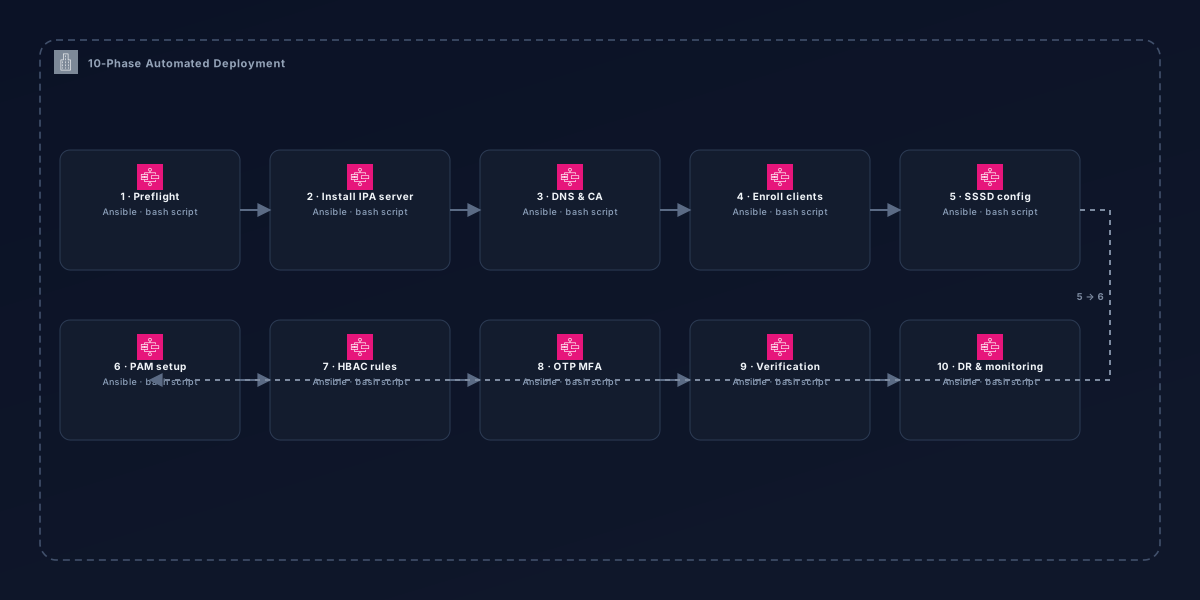
Enterprise SSH authentication with progressive security across DEV, UAT, and PRODUCTION, from key-only to key plus password plus OTP.
- Environments hardened
- 3
- Environments hardened
- Auth factors enforced
- 3
- Auth factors enforced
- Deployment phases
- 10
- Deployment phases
The Problem: Enterprise-Grade SSH Authentication
Many enterprise environments require increasingly sophisticated SSH access controls. Development teams often work with multiple environments that have different security requirements, from simple key-only access in development to multi-factor authentication in production. FreeIPA provides a centralized authentication solution that can enforce different policies across DEV, UAT, and PRODUCTION based on organizational risk assessment.
Architecture Overview
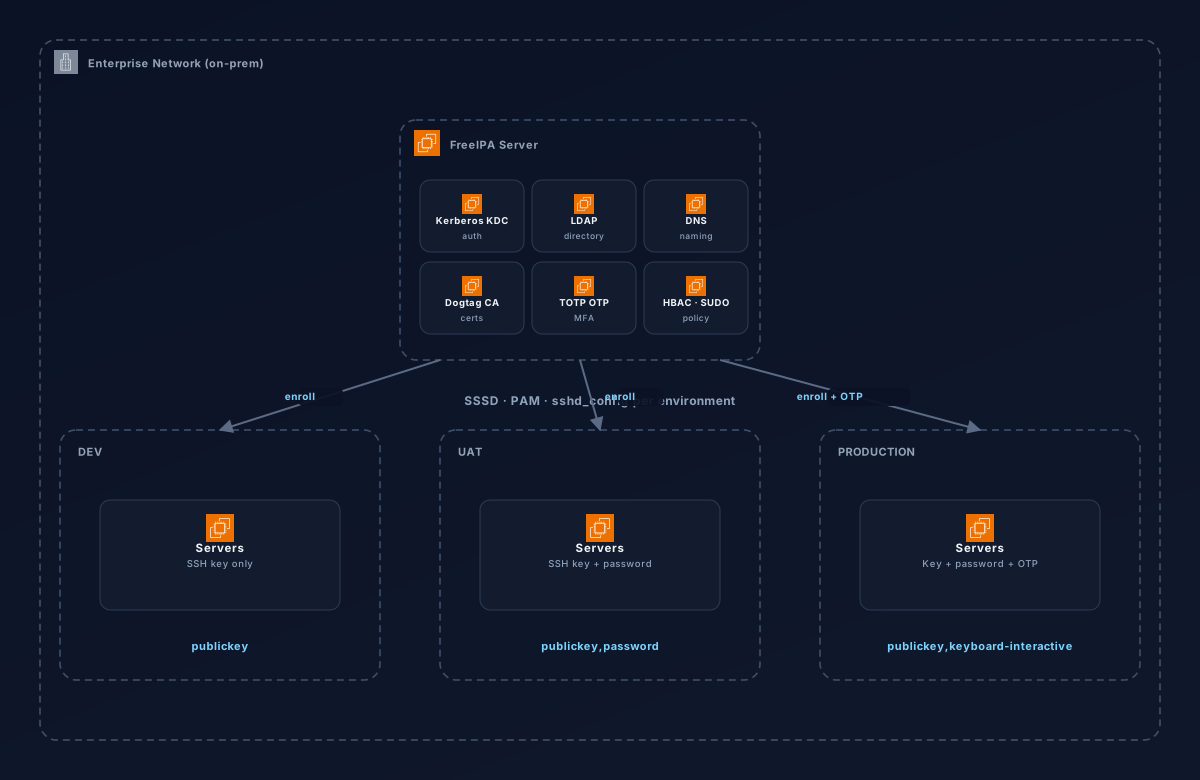
This architecture leverages FreeIPA's integrated KDC, LDAP, DNS, CA, OTP, HBAC, SUDO, and SSH services to create a unified authentication system with environment-specific policies:
DEV
SSH Key Only
Development servers require only SSH public key authentication for rapid iteration and automation.
Auth methods: publickey
UAT
SSH Key + Password
UAT environments add password authentication for more realistic testing while maintaining security.
Auth methods: publickey,password
PROD
SSH Key + Password + OTP
Production enforces MFA with TOTP, providing critical security for sensitive operations and data.
Auth methods: publickey,keyboard-interactive
Key Components
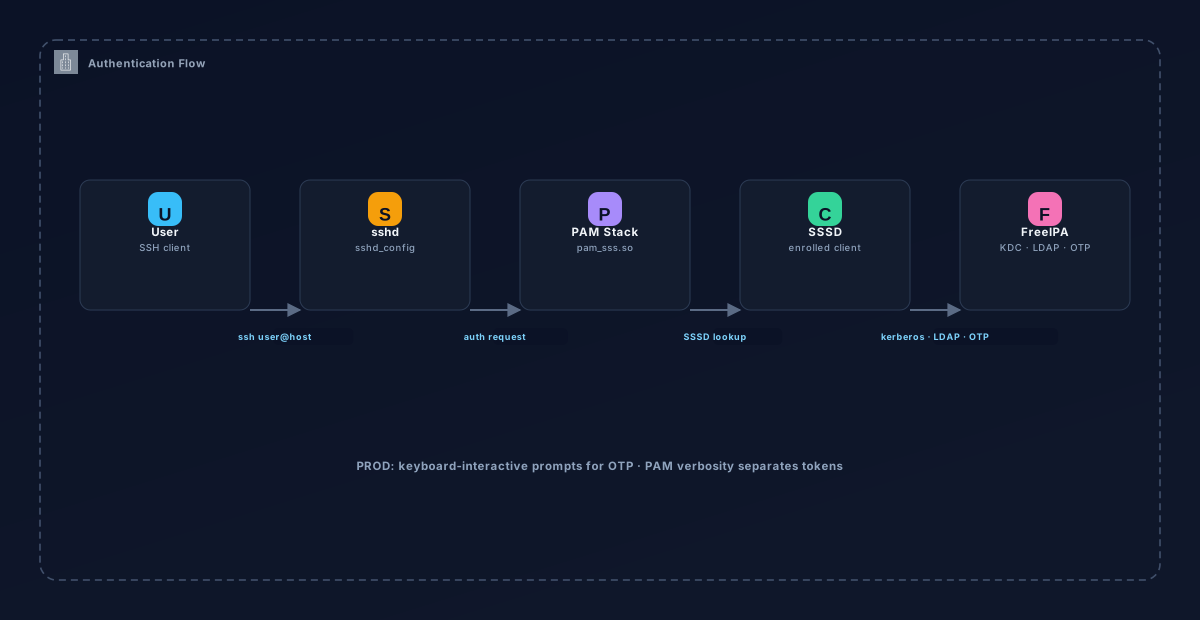
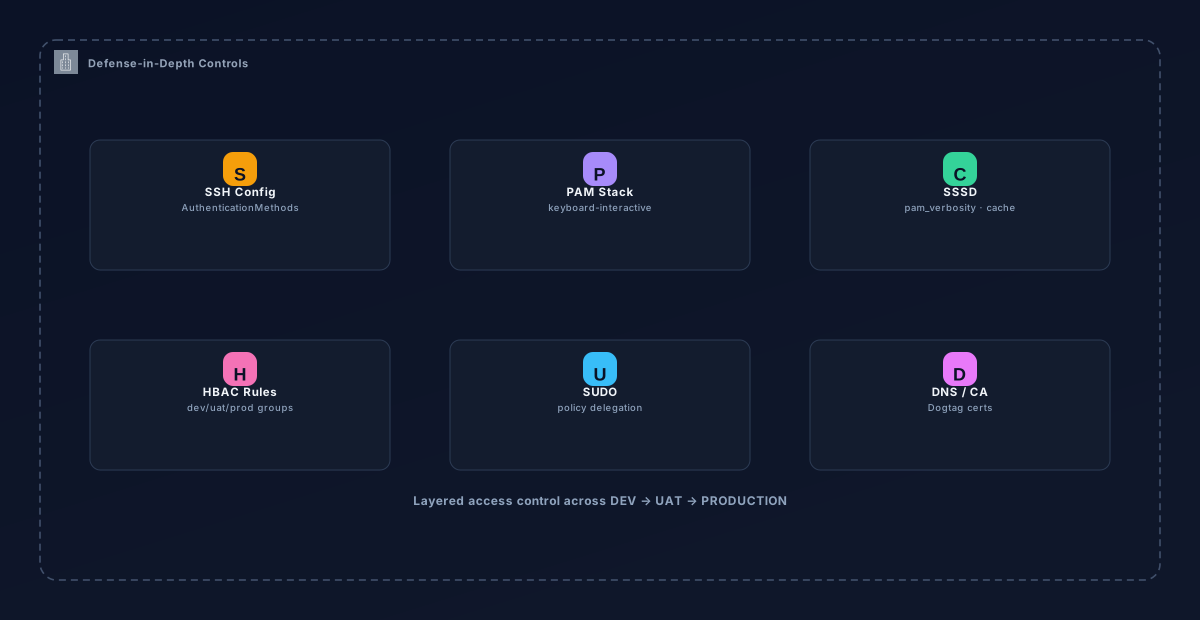
The solution is organized into several key components that work together to provide secure, multi-environment access:
FreeIPA Server
Centralized identity management with Kerberos KDC, LDAP directory, DNS, CA, and OTP services
SSSD Configuration
Client-side integration with environment-specific settings (pam_verbosity for PROD OTP prompts)
PAM Stack
PROD-specific PAM configuration for keyboard-interactive two-factor authentication
SSH Configuration
Environment-specific sshd_config templates with AuthenticationMethods per environment
HBAC Rules
Host-based access control with environment-specific groups (dev-servers, uat-servers, prod-servers)
Environment-Specific Configuration
Each environment uses the same FreeIPA infrastructure but with different access controls:
# SSH Config Examples

# DEV (Development) - key-only
AuthenticationMethods publickey
PasswordAuthentication no
ChallengeResponseAuthentication no

# UAT (User Acceptance Testing) - key+password
AuthenticationMethods publickey,password
PasswordAuthentication yes
ChallengeResponseAuthentication no

# PROD (Production) - key+password+OTP
AuthenticationMethods publickey,keyboard-interactive
PasswordAuthentication yes
ChallengeResponseAuthentication yes
KbdInteractiveAuthentication yes

# PAM Verification
DEV: pam_verbosity = 0
UAT: pam_verbosity = 0
PROD: pam_verbosity = 1  (OTP prompts separate)

# Environment Groups
hbac_rule: dev-users → dev-servers
rbac_rule: uat-users → uat-servers
rbac_rule: prod-users → prod-servers
Authentication Matrix
| Factor | DEV | UAT | PROD |
|---|---|---|---|
| SSH Key | ✅ Required | ✅ Required | ✅ Required |
| Password | ❌ Not allowed | ✅ Required | ✅ Required |
| OTP (TOTP) | ❌ Not allowed | ❌ Not allowed | ✅ Required |
Based on real deployment (Jun 2026) - verified OTP MFA working on prd01.ipa.example.com
Skills & Technologies
Challenges & Lessons Learned
- •FreeIPA defaults login shell to /bin/sh - must explicitly set to /bin/bash for user convenience
- •SSSD cache invalidation is critical when changing user attributes post-enrollment
- •OTP tokens use TOTP protocol - must manage secret distribution securely to users
- •SSH configuration differences between environments must be precise and consistent
- •PAM verbosity settings control OTP prompt separation - critical for production MFA
- •Host DNS records vs IPA enrollment independence requires careful planning
- •Environment-specific SSSD configurations need proper management
Roadmap
- •Implement backup FreeIPA server for redundancy and failover
- •Add cloud-native deployment options (AWS, Azure, GCP)
- •Create web interface for OTP token management and distribution
- •Implement automated user provisioning/deprovisioning workflows
- •Add integration with existing corporate SSO systems
- •Create comprehensive monitoring and alerting for authentication flows
- •Develop Ansible roles for cross-platform client enrollment
Quick Start
# Install IPA server (Phase 2)
./scripts/phase-2-install-ipa-server.sh# Enroll PROD client with OTP
./scripts/phase-4-enroll-client.sh prod# Create OTP tokens for production users
./scripts/phase-8-otp-mfa.sh# Configure HBAC rules
./scripts/phase-7-hbac-rules.shLike what you're seeing?
I'm always up for tackling challenging infrastructure, automation, and AI/DevOps problems. Let's build something together.